
Projectors
- Relevance
- Price: Low - High
- Price: High - Low
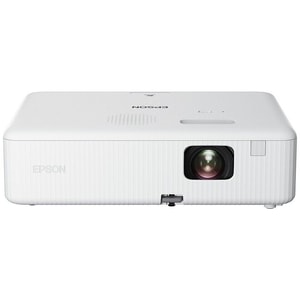
Resolution: WXGA (1280 x 800) • Brightness: 3,000 lumens • Projection technology: 3LCD
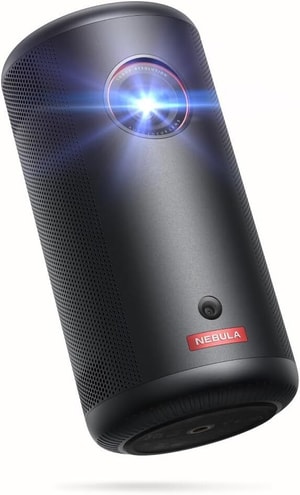
Resolution: Full HD (1920 x 1080) • Brightness: 200 ANSI lumens • Projection technology: DLP
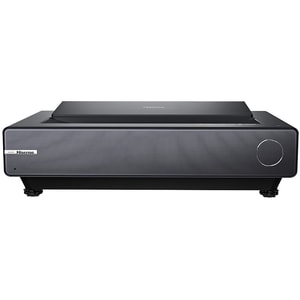
Resolution: 4K UHD (3840 x 2160) • Brightness: 2,400 ANSI lm • Projection technology: DLP
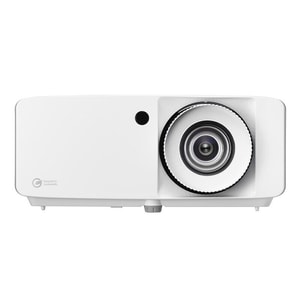
Resolution: 4K UHD (3840 x 2160) • Brightness: 4,000 ANSI lm • Projection technology: DLP
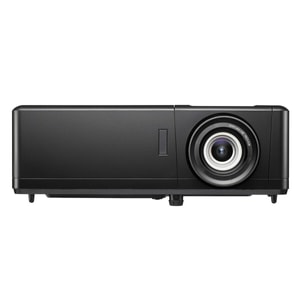
Resolution: 4K UHD (3840 x 2160) • Brightness: 3000 ANSI lm • Projection technology: DLP
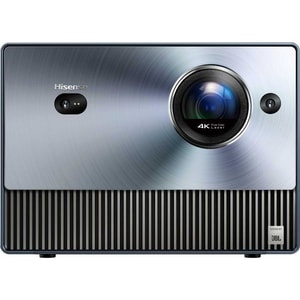
Resolution: 4K UHD (3840 x 2160) • Brightness: 1,600 ANSI lm • Projection technology: DLP
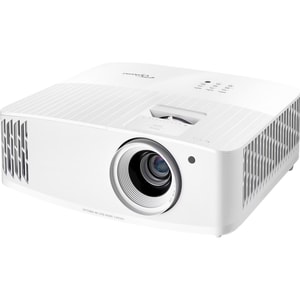
Resolution: 4K UHD (3840 x 2160) • Brightness: 4000 lumens • Projection technology: DLP
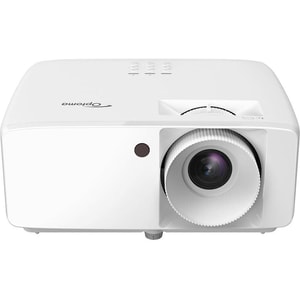
Resolution: Full HD (1920 x 1080) • Brightness: 3,800 ANSI lm • Projection technology: DLP
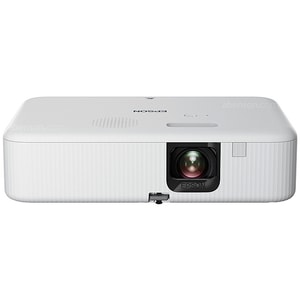
Resolution: Full HD (1920 x 1080) • Brightness: White: 3000 lumens • Colour: 3000 lumens • Projection technology: 3LCD
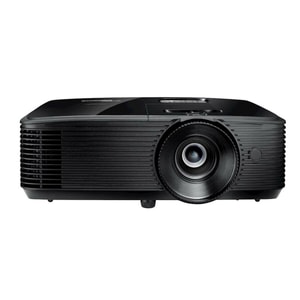
Resolution: Full HD (1920 x 1080) • Brightness: 3600 ANSI lm • Projection technology: DLP
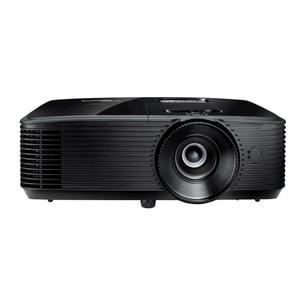
Resolution: WXGA (1280 x 800) • Brightness: 3,900 ANSI lm • Projection technology: DLP
Projectors: big-screen atmosphere without committing to a huge TV
A projector is the most direct way to create a cinema-style image at home, without having a large panel permanently on display. When the setup is right, films and sport feel more immersive, and even casual streaming looks more relaxed at a bigger size. The key is matching the projector to your space, because projectors are far more sensitive to room conditions than Televisions. Read More...
Within TV & Audio, projectors work best when you plan the full chain: where the image will land, how you will handle light, and what you will do for sound. Once those pieces are clear, the specifications become easier to interpret and the shortlist becomes much tighter.
Start with the room: light control and where the picture will land
The most common reason people feel disappointed by a projector is not the model, it is the room. Ambient light washes out black levels and reduces contrast, so the more you can control light, the more satisfying the picture will be. If you mainly watch in the evening with dim lighting, you can prioritise contrast and colour. If daytime viewing matters, brightness and screen choice become more important.
Decide early whether you will use a projector screen or a plain wall. A wall can be fine for casual viewing, but a screen usually produces a more consistent image and makes the setup feel intentional rather than improvised.
Screen size and throw ratio: make sure the numbers fit your layout
Projectors create image size based on throw ratio and placement. The throw ratio describes how far the projector needs to be from the screen for a given image width, so it determines whether a model will work in your room without awkward positioning. Start by choosing a target image size that suits the seating and wall space, then ensure the throw ratio and throw distance range will achieve it.
If you do this first, you avoid buying a projector that only reaches your desired size if it sits in a walkway, blocks a door, or needs an untidy ceiling mount.
Standard, short throw, and ultra short throw: pick the placement style
A standard throw projector normally sits further back in the room. A short throw projector produces a large image from a shorter distance, which can be useful in tighter living rooms. An ultra short throw projector sits close to the wall and projects upwards, which can create a tidy, furniture-based setup without a long beam across the room.
If you go ultra short throw, placement accuracy matters more. It is worth planning the cabinet height, the distance from wall, and whether you want a screen designed for that projection angle.
Brightness and contrast: the specs that decide everyday usability
Resolution is easy to understand, but brightness and contrast decide whether the image looks good in real use. A projector can be “4K” and still look flat if the room is bright and the projector is underpowered for the screen size.
A practical way to buy is to choose for your brightest likely use case. If you sometimes watch with lights on, you want brightness headroom so the image stays watchable rather than grey and washed out.
ANSI lumens: the brightness number worth focusing on
Projector brightness is commonly expressed as ANSI lumens, which is the comparable measurement you will see on more trustworthy specifications. Higher ANSI lumens generally means a brighter image, but brightness is only part of enjoyment. In a dark room, contrast and colour can matter more than chasing the highest lumen figure.
If you see other “lumen” terms used in marketing, treat ANSI lumens as the better baseline for comparison and then judge the image as a whole.
Contrast, colour, and HDR expectations
Projectors can support HDR formats, but the visible benefit depends heavily on brightness and contrast capability. Treat HDR support as a useful feature, then prioritise an image that looks balanced and natural in your room. Strong skin tones and clean shadow detail are usually more valuable than a punchy demo look that becomes tiring over time.
Keystone correction, lens shift, and focus: keep the image clean
Image adjustment features are not all equal. Some corrections are optical, others are digital. Understanding the difference helps you avoid a setup that looks softer or dimmer than it needs to.
Lens shift versus keystone: why optical adjustment is preferred
Lens shift allows you to move the image without tilting the projector, which keeps the picture rectangular without digitally manipulating the pixels. Keystone correction reshapes the image digitally to counter a trapezoid shape caused by misalignment. Digital correction can reduce effective resolution and can reduce brightness because it is not using the full imaging area.
If you have the choice, aim for correct placement first, lens shift second, and keystone as a last resort for minor corrections.
Resolution, motion, and gaming: what makes the picture feel “sharp enough”
Full HD is still a strong baseline for film nights and many portable setups, especially if you sit further back. 4K becomes more valuable as the image gets larger and you sit closer, because fine detail, subtitles, and UI elements stay cleaner. Motion handling matters for sport and gaming, and a smooth picture during fast movement often feels more premium than raw resolution alone.
Gaming projectors: prioritise responsiveness
If gaming is a key use case, look for a low-latency mode and a setup that keeps controls feeling direct. Also consider how you connect devices and whether you need multiple HDMI inputs. For shared-room viewing, Sound Bars are often the simplest way to add impact. If music is as important as films, Speakers & Smart Speakers can suit a projector setup well. If you need private listening, Headphones and Earphones are the cleanest solution.
Projection technology: DLP, 3LCD, and what you might notice
Many shoppers will never need to think about the projection method, but it is useful if you are sensitive to certain artefacts. Some single-chip DLP projectors can show a “rainbow effect” for some viewers, particularly in high-contrast scenes. 3LCD designs avoid that particular effect. If you know you are sensitive, it is worth being aware before you commit.
Light source and ownership: lamp, laser, and LED
The light source affects maintenance, running costs, and how the projector behaves day to day. Lamp-based projectors can offer strong value, but lamps are consumables. Laser projectors are often chosen for a lower-maintenance ownership profile and long life. LED light sources are common in compact and portable models where efficiency and size matter.
Also consider fan noise. Brighter projectors and smaller chassis designs can produce more audible cooling, which can matter in quiet drama and late-night viewing.
Smart features, connectivity, and audio planning
Many projectors now include smart platforms, but the real question is whether the interface feels responsive and supports the services you actually use. Some people still prefer a separate streaming stick for simplicity and consistent app updates.
Connectivity is the practical backbone. Count the devices you will plug in, then make sure the projector has enough HDMI ports and the right audio output method for your plan. If you intend to use Bluetooth audio, be aware that wireless audio can introduce delay. For best lip-sync, wired audio or a well-designed low-latency path is usually the safer choice.
When a projector is not the right answer
If your room is very bright, or you want instant “switch on and it looks perfect” simplicity, Televisions can be the more practical choice. TVs handle ambient light better and are easier for quick daytime viewing, especially if you do not want to manage placement and light control.
Projectors shine when you want atmosphere and a big image that feels special. Choose for the room, keep alignment sensible, and plan audio from the start.
Quick checklist: shortlist projectors with confidence
- Choose the room and the role: films, sport, gaming, or portable viewing
- Decide the throw style: standard, short throw, or ultra short throw
- Match brightness to your environment, using ANSI lumens as a comparable guide
- Choose resolution for image size: Full HD for value and portability, 4K for larger images and closer seating
- Prefer optical alignment: placement first, lens shift if needed, keystone only for minor corrections
- Plan audio early: soundbar or speakers for impact, headphones for private viewing
- Confirm the practicals: ports, fan noise, cable routing, and whether you want a proper screen