
Sound Bars
- Relevance
- Price: Low - High
- Price: High - Low
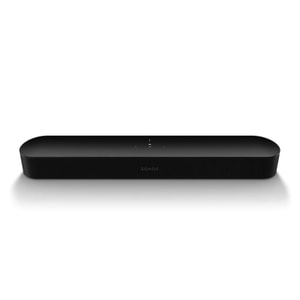
Soundbar Type: All-in-one smart soundbar • Number Of Channels: 3.0 • Total Power Output: 200 W

Soundbar Type: All-in-one soundbar • Number Of Channels: 5.0 • Total Power Output: 200 W

Soundbar Type: Soundbar with wireless subwoofer • Number Of Channels: 3.1.2 • Total Power Output: 330 W
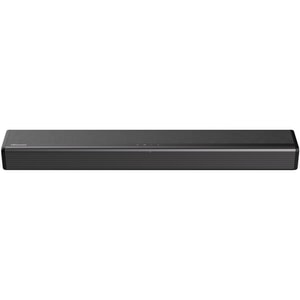
Soundbar Type: All-in-one soundbar • Number Of Channels: 2.1 • Total Power Output: 108 W
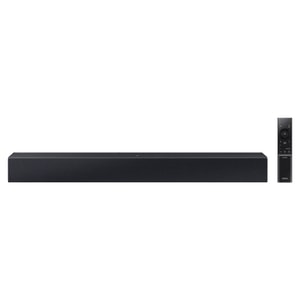
Soundbar Type: Soundbar with built-in subwoofer • Number Of Channels: 2.0 • Total Power Output: 40 W

Soundbar Type: All-in-one soundbar • Number Of Channels: 2.0 • Total Power Output: 80 W
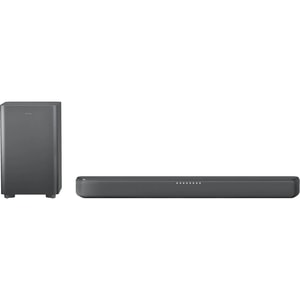
Soundbar Type: Soundbar with wireless subwoofer • Number Of Channels: 2.1 • Total Power Output: RMS: 120 W • Peak: 240 W

Soundbar Type: All-in-one soundbar • Number Of Channels: 2.1 • Total Power Output: 100 W
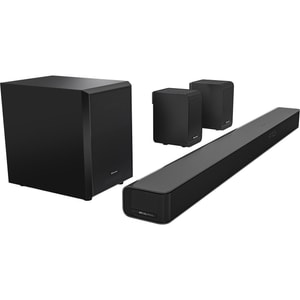
Soundbar Type: Soundbar with wireless subwoofer and rear speakers • Number Of Channels: 5.1 • Total Power Output: 340 W

Soundbar Type: All-in-one soundbar • Number Of Channels: 3.0 • Total Power Output: 140 W
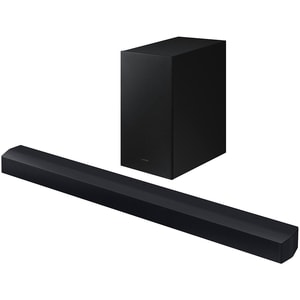
Soundbar Type: Soundbar with wireless subwoofer • Number Of Channels: 2.1 • Total Power Output: 270 W

Soundbar Type: Soundbar with wireless subwoofer • Number Of Channels: 2.1 • Total Power Output: 360 W

Soundbar Type: PC soundbar • Number Of Channels: 2.1 • Total Power Output: 65 W

Soundbar Type: Soundbar with wireless subwoofer • Number Of Channels: 2.1 • Total Power Output: 300 W
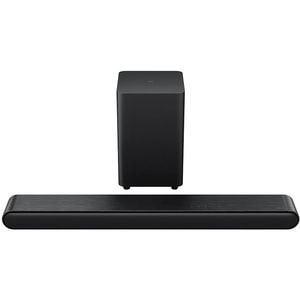
Soundbar Type: Soundbar with wireless subwoofer • Number Of Channels: 3.1 • Total Power Output: 240 W

Soundbar Type: Soundbar with wireless subwoofer • Number Of Channels: 3.1 • Total Power Output: 340 W

Soundbar Type: All-in-one soundbar • Number Of Channels: 3.0 • Total Power Output: 50 W
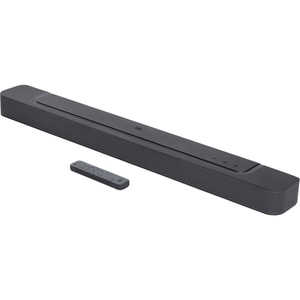
Soundbar Type: All-in-one soundbar • Number Of Channels: 5.0 • Total Power Output: 260 W
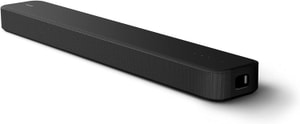
Soundbar Type: All-in-one sound bar • Number Of Channels: 3.1 • Total Power Output: 250 W
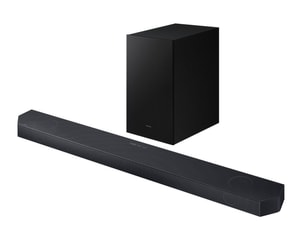
Soundbar Type: Soundbar with wireless subwoofer • Number Of Channels: 3.1.2 • Total Power Output: 320 W

Soundbar Type: All-in-one soundbar • Number Of Channels: 5.0 • Total Power Output: 200 W
Soundbar Type: Soundbar with built-in subwoofer • Number Of Channels: 3.1 • Total Power Output: 250 W
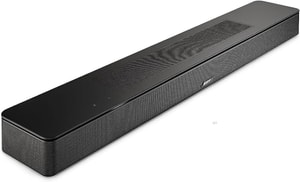
Soundbar Type: All-in-one soundbar • Number Of Channels: 5.0 • HDMI output (ARC/eARC): HDMI eARC
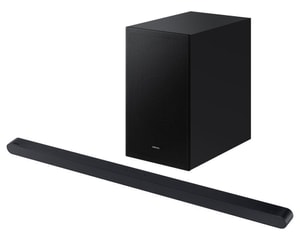
Soundbar Type: Soundbar with wireless subwoofer • Number Of Channels: 3.1 • Total Power Output: 250 W
Sound bars: clearer dialogue and fuller sound without the clutter
Most modern Televisions look brilliant, but slim cabinets rarely leave space for speakers that handle dialogue and bass convincingly. A sound bar is the simple upgrade when you are tired of nudging the volume up for speech, then down again when action scenes land. The goal is not just louder audio. It is clearer voices, steadier balance, and a more cinematic feel for films, sport, and gaming. Read More...
Within TV & Audio, sound bars sit in the practical middle ground: more impactful than built-in TV speakers, far simpler than a full AV receiver and speaker package. Choose the right type for your room and you get a meaningful improvement with minimal setup hassle.
Choose the setup first: one bar, a subwoofer bundle, or a surround-style kit
Before you compare brands, decide the shape of system you actually want to live with. Most buyers fit into one of three routes, and each has a clear “best for”. This also keeps the decision grounded in real use, not marketing badges.
All-in-one sound bars for simple upgrades
An all-in-one sound bar is the neatest option. It suits smaller rooms, secondary TVs, and anyone who wants clearer sound without extra boxes. These models usually focus on dialogue clarity and a wider front soundstage, which can make everyday TV and streaming feel immediately more intelligible.
If you mostly watch drama, news, and sport, this option often delivers the most improvement per bit of effort because it tackles the main weakness of TV speakers: thin midrange.
A soundbar with wireless subwoofer for weight and impact
If you want deeper bass and a bigger “cinema” feel, a soundbar with wireless subwoofer is typically the most noticeable step up. The sub handles low frequencies, so explosions, crowd noise, and music gain weight. It can also help the bar itself focus on midrange detail, which is where voices sit, so the overall presentation often feels cleaner.
Subwoofers are not only for blockbuster films. They can make sport sound more alive and give games more physical presence, especially when you sit fairly close to the screen.
Soundbar with rear speakers for a more immersive experience
If you want effects that feel like they wrap around you, rear speakers are the upgrade that changes the experience most. This is especially noticeable in films and games, where ambience and directional cues can come from behind rather than being “pulled” from the front.
If you are considering immersive formats, rear speakers can also make the sense of space more convincing. Just be realistic about placement and cables, even in “wireless” kits.
Channel numbers made useful: what 2.1, 3.1 and 5.1.2 change
Channel labels translate into everyday benefits. They indicate how sound is separated, and separation is what improves clarity. A quick way to think about it is this: if speech is your frustration, centre channel support matters. If immersion is the goal, surround capability and height effects matter more.
2.1 vs 3.1: why a centre channel can be a dialogue upgrade
A 2.1 setup usually means left and right audio plus a subwoofer. A 3.1 setup adds a dedicated centre channel that anchors dialogue. If voices regularly get lost under music and effects, 3.1 is often worth prioritising because it can keep speech stable without you constantly riding the volume control.
Some sound bars simulate a centre channel. When dialogue is the main problem you are trying to solve, dedicated centre channel designs can be a practical advantage.
Dolby Atmos soundbars: what “height” is aiming to add
Dolby Atmos aims to add height and placement so sound can feel like it moves above and around you, not just left and right. Some sound bars use upward-firing drivers to bounce sound off the ceiling. The impact depends on room layout and ceiling height, so it is best treated as a bonus on top of a sound bar that already delivers clear dialogue and balanced sound.
If your ceiling is very high, heavily textured, or your seating position is unusual, focus on core clarity first, then consider whether Atmos-style effects are likely to be noticeable in your space.
Connections that reduce hassle: eARC, ARC, optical, and wireless
Connection choice affects both simplicity and compatibility. If you want the most straightforward day-to-day setup, start with HDMI. Also do a quick port audit so you are not forced into awkward compromises later.
HDMI eARC and ARC: usually the cleanest TV connection
HDMI ARC and HDMI eARC send TV audio to the sound bar through one HDMI cable. eARC is the more capable option and is designed to support higher-quality audio formats and improved compatibility. If you use built-in TV apps, eARC is especially helpful because it routes that audio to the sound bar without extra cables.
If your TV supports eARC, it is usually the simplest “set it and forget it” connection for everyday viewing.
Optical: reliable, but often best as a fallback
Optical can be a dependable connection, particularly with older TVs. It can work well for basic TV audio, but it is not always ideal for newer immersive formats and advanced audio features. If you have ARC or eARC available, HDMI is typically the cleaner long-term option.
Optical still has a place when you want a stable, simple connection and you are not chasing the newest audio formats.
Bluetooth and Wi-Fi: great for music, mixed results for TV
Wireless playback is convenient for music from a phone, and some sound bars add Wi-Fi features for streaming and multi-room ecosystems. For TV viewing, a wired HDMI connection is usually more consistent, especially if you are sensitive to lip-sync timing.
If you want your sound bar to double as a casual music speaker, wireless features are useful. If your priority is TV and films, prioritise connection stability first.
Placement and room realities: get the basics right
Sound bars work best when they have a clear path to your listening position. If the bar is tucked into a cabinet, dialogue can sound muffled. If it sits too low or is blocked by the TV stand, clarity can drop. Start simple: centred under the screen, front edge not pushed too far back, and as open to the room as possible.
Subwoofers, rear speakers, and avoiding boomy bass
Subwoofer placement is flexible, but corners can exaggerate bass and make it sound heavy rather than tight. If bass feels uneven, shifting the subwoofer a small distance can make a bigger difference than you would expect. Rear speakers benefit from symmetry: if one side is much closer than the other, surround effects can feel unbalanced.
If your room is open-plan or heavily asymmetrical, prioritise a clean front soundstage and dialogue clarity. Surround can still be enjoyable, but placement constraints matter.
Features you will actually use: dialogue modes, night listening, and control
Useful features are the ones you reach for repeatedly. Dialogue enhancement can help lift speech without making everything harsh. Night modes can reduce dramatic volume swings so you do not wake the house. Simple EQ presets can be handy, but avoid treating “more bass” as the default fix for every situation.
Control matters more than it sounds. When the TV and sound bar cooperate over HDMI, day-to-day use tends to feel effortless because volume and power are handled cleanly.
When a sound bar is not the best answer
If your priority is music that fills a room, Speakers & Smart Speakers can be a better fit than a TV-first sound bar. If you mainly need private listening, Headphones and Earphones can solve late-night viewing without disturbing anyone else.
If your main screen is a projector rather than a TV, a sound bar can still work well, but placement and cabling matter more. In that case, Projectors are worth considering as part of a complete setup plan.
Quick checklist: shortlist sound bars with confidence
Start with the decisions that change your experience most:
- Choose the setup: all-in-one sound bar, soundbar with wireless subwoofer, or soundbar with rear speakers
- Prioritise dialogue: consider 3.1 if speech is your main frustration
- Treat Atmos carefully: a bonus after core clarity and balance, and room layout matters
- Pick the connection: HDMI eARC first if available, optical as a fallback
- Check fit and placement: bar width, wall-mount options, and whether a TV stand will block the front
- Match to your habits: music-first buyers may prefer speakers, late-night viewers may prefer headphones