
Gaming
This is the home of gaming essentials: games consoles, console games, game controllers and gaming headsets, all in one place. If you love the feeling of being in the driver’s seat, steering wheels bring that extra realism, and joysticks are perfect for more hands-on control.
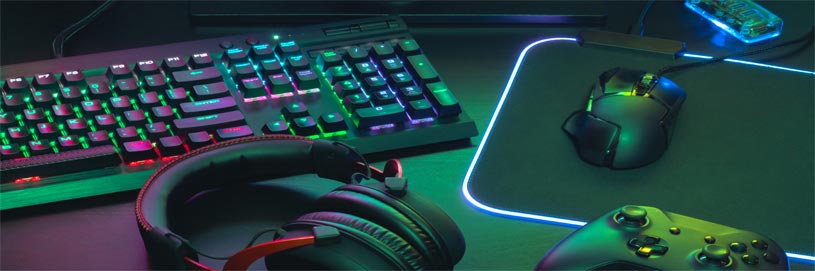
Gaming: consoles, games, and accessories that make every session feel smoother
Picture a Friday night co-op on the sofa, a quick ranked match, or a weekend racing marathon that turns into one more lap. When your setup fits the way you play, everything feels smoother: controls that respond the way you expect, audio that lets you hear what matters, and gear that stays comfortable long after the first match. Read More...
This category brings together games consoles, console games, game controllers, gaming headsets, steering wheels, and joysticks, so you can build a setup that suits your play style. Start with the platform you use, then add accessories that match where you play and how you communicate, because the best upgrades are the ones you notice every time you press start.
Games consoles: choose a platform that suits your home and your habits
If you are browsing games consoles, begin with a simple reality check: do you mostly play on the big screen, on the move, or a bit of both. It also helps to think about what you already enjoy, such as exclusives, subscription libraries, local multiplayer, or family-friendly play, because the “right” console is the one that naturally fits your household.
You can make the decision more practical by considering storage, whether you prefer digital downloads or discs, and how many controllers you will want ready to go. Some homes are built around solo story games and late-night sessions, while others want quick pick-up play that works for everyone, and matching the console to that rhythm is usually the best way to choose confidently.
Console games: find your next favourite by genre, mood, and multiplayer style
Console games are where the fun really starts, and choosing gets easier when you shop by the way you actually play, not just by what is new. If you love long single-player campaigns, you may prioritise story-led adventures and RPGs, while shorter sessions often suit sports titles, racers, puzzle games, and party-friendly co-op.
If you already know your platform, it can be quicker to browse Nintendo Switch games, PlayStation 5 games, or Xbox Series X games, then narrow by genre, play mode, and age ratings. For families and gifting, checking age guidance and whether a game supports local co-op or online play can save you from a disappointing “this won’t work for us” moment later.
Game controllers: comfort, connection, and the layout you play best with
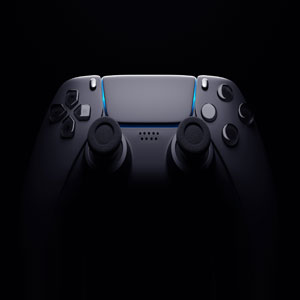
A good set of game controllers makes play feel natural, whether you prefer a standard pad or a pro-style option with extra buttons. Many shoppers search for a PS5 controller or a wireless controller because they want a familiar layout and a reliable connection, but comfort is just as important, especially if you play for longer sessions.
Before you buy, check platform compatibility, charging style, and whether you want features like remappable buttons for certain genres. If more than one person plays at home, a second controller is often the upgrade that changes the most, because it turns solo time into couch co-op in seconds.
Gaming headsets: clearer chat, better immersion, and a mic your friends can hear
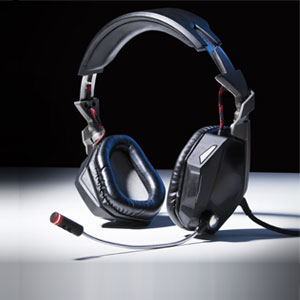
Gaming headsets are one of those upgrades you notice immediately, particularly in multiplayer where clear voice chat makes teamwork feel effortless. If you are choosing a gaming headset with microphone, focus on comfort, a secure fit, and microphone clarity first, because those are the details that shape how it feels after an hour of play.
A wireless gaming headset can make it easier to stand up, stretch, and keep talking between matches, while wired options can be a straightforward choice when you want plug-and-play reliability. It is also worth checking how the headset connects, such as 3.5mm, USB, or a wireless dongle, because that affects whether it works smoothly across console and PC.
Steering wheels: sim racing control that feels closer to the real thing
If racing games are your happy place, steering wheels add a level of control that standard controllers cannot replicate. A gaming steering wheel is often paired with a wheel and pedals bundle, and what many players notice first is force feedback, because it can make corners, kerbs, and grip changes feel more believable.
Practical checks matter here too: confirm the platform it supports, how it mounts to a desk or stand, and whether you have space to leave it set up. If you race regularly, a wheel that is quick to set up and easy to pack away tends to get used more than one that feels like a project every time.
Joysticks: flight sticks and HOTAS setups for sims and space adventures
Joysticks are designed for the kind of control you want in flight simulators, space combat, and games that reward precision. If you have searched for a flight stick or a HOTAS setup, you are usually looking for a layout that feels intuitive, with enough buttons for key actions without constant menu diving.
As with other accessories, check the supported platforms and connection type, because some sticks are aimed at PC use while others support consoles as well. A comfortable grip and a stable base often matter more than flashy extras, especially when you are learning a new sim and building muscle memory.
Screens and PC setups: when your display is part of the experience
Gaming is not just about the console, it is also about the screen and sound you play through. If you play on a TV, TV & Audio is a useful place to explore televisions, sound bars, and headphones that suit your room, especially if you want clearer dialogue and bigger match-night sound.
If you game on PC, Computing helps you shop monitors, peripherals, and components that support your setup, whether you are upgrading a gaming monitor, adding better audio, or refreshing your desk essentials. The aim is simple: keep your kit comfortable and consistent, so the gear disappears and the game takes over.
Quick buying tips: the checks that save you time later
Before you buy, take a moment to confirm the basics, because most gaming mistakes are simple ones like the wrong connector or the wrong platform. Check the listing for the supported console or PC, confirm whether you need Bluetooth, USB, or a dongle, and double-check whether accessories are designed for wired or wireless use.
If you want more guidance on sound and comfort for long sessions, the Gaming blog is a handy next step, especially when you are choosing between headset styles and want a clear checklist of what matters.