
Computing
Computing covers the essentials that make a tech day feel simple, from laptops and desktops to monitors and printers that suit your space. Then it is the finishing touches, like peripherals, storage and core components, that turn “fine” into “feels just right”.
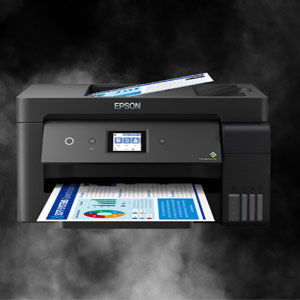
Computing: laptops, monitors, printers and parts for the way you work and play
If your day runs through a screen, a keyboard and a handful of files, the right kit makes everything feel calmer. A reliable laptop for study, a sharp monitor for spreadsheets, a printer that behaves on deadline day, and storage you can trust for backups. This page pulls the whole Computing category together so you can shop by use case rather than getting lost in acronyms. Read More...
Whether you are building a home office, upgrading a gaming setup, or just replacing the mouse that has finally given up, it helps to start with what you do most often. Then you can choose the features that genuinely change day to day life, like screen size, connection ports, and the balance between performance and portability.
Computers: laptops and desktops for work, study and gaming
If you are shopping for computers, begin with the style that fits your routine. A student laptop is usually about portability and battery life, a business laptop often prioritises a comfortable keyboard and strong connectivity, and a gaming laptop is chosen for smoother graphics and faster response. You will also see 2-in-1 laptop models for note-taking and travel, plus popular size searches like 14 inch laptop and 16 inch laptop when people want the right balance of space and weight.
Specs are useful, but the best shortcut is to match them to the job. If you keep dozens of browser tabs open, look for listings that mention 16GB RAM laptop options, and if you store photos, games or large files, a 1TB SSD laptop can feel far less cramped. For home setups, desktop PCs can offer easier upgrading later, especially if you like the idea of swapping parts over time.
Computer monitors: 27 inch monitors, 4K screens and fast gaming panels
Computer monitors change how your whole desk feels. For many people, a 27 inch monitor is a comfortable size for multitasking, while a 4K monitor suits detailed work where crisp text and fine detail matter. If you are choosing a 1440p monitor, it often lands nicely between clarity and performance, and for gaming shoppers, a 144Hz gaming monitor or 27 inch gaming monitor is usually about smoother motion and a more responsive feel.
Practical checks make the difference here. Think about stand adjustment, VESA mounting if you use a monitor arm, and the ports you actually need. A USB-C monitor can simplify a laptop setup when you want fewer cables, while ultrawide and portable monitor options suit very specific spaces and workflows.
Printers: wireless printers, laser printers and all-in-one workhorses
Printers are at their best when they quietly do the job and stay out of the way. For home office printing, an all-in-one printer that handles print, scan and copy can cover most everyday needs, while a printer scanner option is useful if paperwork still comes through your door. If you print lots of text, laser printer models are commonly chosen for speed and crisp pages, while inkjet printer models often suit colour documents and photos.
Look for wireless printing if you want to print from phones and laptops without fuss, and check whether automatic duplex is included if you regularly print multi-page documents. It is also worth thinking about running costs, because toner and ink systems behave differently over time, and the cheapest printer is not always the cheapest to live with.
Peripherals: keyboards, mice and audio that make the desk feel better
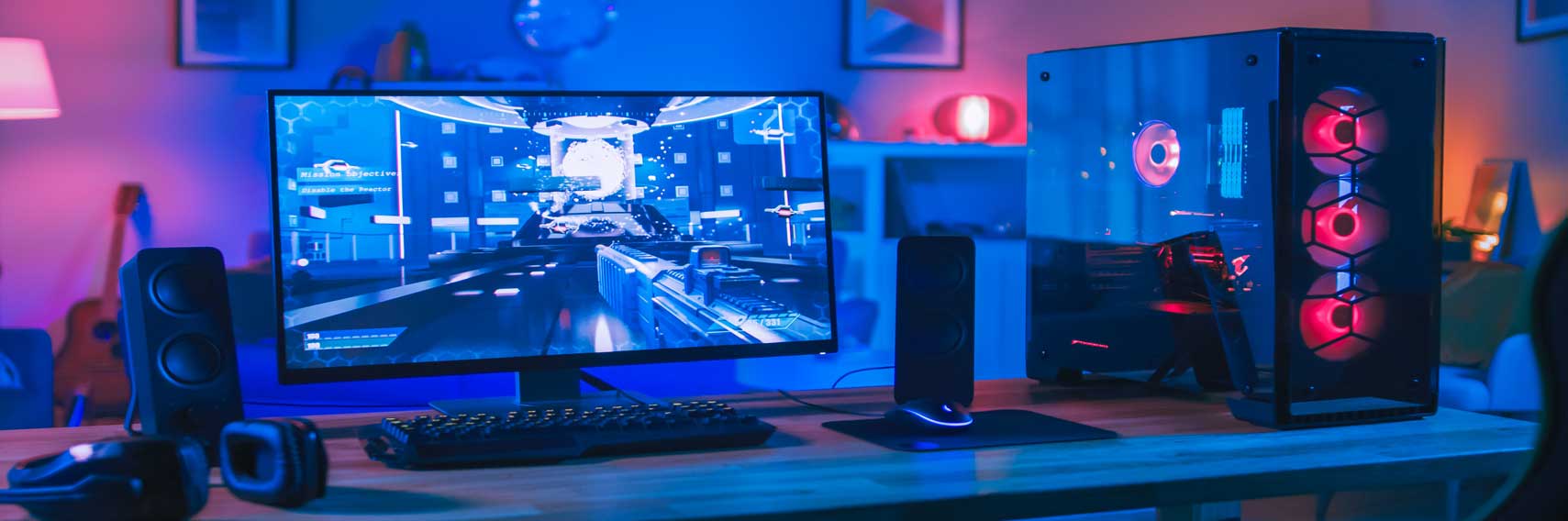
Peripherals are the upgrades you notice every single day. A mechanical keyboard can feel more precise for typing, a wireless keyboard keeps a desk tidy, and an ergonomic mouse can make long working sessions feel more comfortable. For gaming and creative work, a gaming mouse with extra buttons can be genuinely useful, and a reliable headset, speakers or webcam can improve calls and collaboration without overcomplicating your setup.
If you stream, record or join lots of meetings, a USB microphone can be a simple step up in clarity. The best approach is to choose peripherals around comfort first, then refine by layout, connection type and the features you will actually use.
Components: CPUs, motherboards and upgrades that change performance
PC components are where a machine becomes personal. If you are building or upgrading, start with compatibility, then performance, so each part supports the next. Common shopping terms include CPU, motherboard, DDR5 RAM, power supply, PC case, CPU cooler and case fans, and each one plays a role in how stable and upgradeable your system feels.
For many people, the biggest jump comes from a dedicated graphics card, especially if you game, edit video, or work with design software. It also helps to think about the full build, including airflow and power requirements, because a tidy, well-cooled system tends to stay quieter and more consistent under load.
Storage: NVMe SSDs, external drives and memory cards for everyday backup
Storage is where your files live, so reliability matters as much as speed. An NVMe SSD is a popular choice for faster loading and a responsive system, while an external hard drive can be a simple way to back up photos, work documents and family files. For cameras, handheld devices and small tech, SD card and microSD card searches are common, and a memory card reader can make transferring files quicker and less fiddly.
A useful habit is to separate everyday storage from backup storage, so important files are not sitting in one place. Whether you are expanding a laptop, tidying a desktop, or organising media, the right storage choice makes everything feel more secure.
Popular ways to shop: quick routes into the ranges people buy most
If you prefer to start with the most common journeys, browse Laptops for portable work and study, head to Graphics Cards for performance upgrades, or explore 27 inch monitors when you want a desk-friendly screen size. If your shopping list is driven by game night, Gaming is a handy next step for consoles and accessories that complete the setup.