
Computer Components
Thinking of an upgrade rather than a full rebuild? A bump in RAM, a new GPU, or a quieter cooler can make a real difference to day-to-day performance. It is worth checking simple compatibility details like socket type, case size, and power headroom before you commit.


Computer components: the parts that make a PC feel quick, quiet and dependable
Building or upgrading a PC can be a satisfying little transformation. A new CPU can make everyday work feel snappier, a stronger graphics card can lift gaming performance, and better cooling can keep your system calm under pressure. The secret is not chasing the biggest spec, it is choosing parts that fit together, because compatibility is what turns separate boxes into a machine that starts fast, stays stable and feels good to use. Read More...
This category covers the essentials: Memory and RAM, Motherboards, Graphics Cards, PC Cases, CPUs, PSUs, and PC Fans and Coolers. If you are upgrading rather than building, start with the bottleneck you actually feel. Slow loading often points to storage, stutters can point to RAM or GPU, and instability often points to power or cooling.
Memory and RAM: DDR5 RAM, DDR4 RAM and the capacity you will actually use
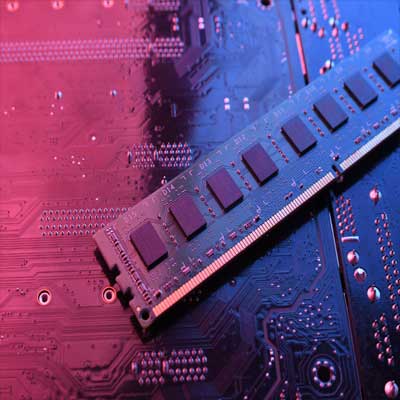
Memory and RAM are your PC’s short-term workspace. You will see searches like DDR5 RAM, DDR4 RAM, 32GB RAM, and 6000MHz DDR5, but the first rule is simple: match the RAM generation to your motherboard, because DDR4 and DDR5 are not interchangeable.
Then choose capacity for your routine. Light everyday use needs less than heavy multitasking, gaming, or creative apps. Also check form factor, because desktop DIMM and laptop SO-DIMM are different, and your motherboard only supports one type.
Motherboards: AM5, LGA 1700 and the right size for your case
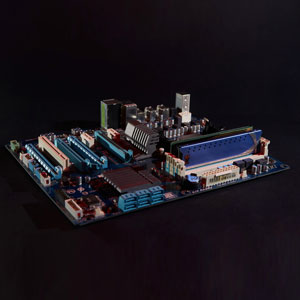
Motherboards decide what the rest of the build can be, so it is worth choosing with the future in mind. Shoppers often search for an AM5 motherboard or an LGA 1700 motherboard, and the key is to match the socket and chipset to your CPU. Next, choose form factor: ATX for more expansion, micro-ATX for a tidy mid-size build, or Mini-ITX for compact PCs.
Look for everyday features you will use, like enough M.2 slots for fast SSDs, the USB ports you need, and Wi-Fi if you want a clean setup without extra adapters.
Graphics cards: RTX and Radeon options, plus the fit and power checks
Graphics cards are the headline upgrade for gaming and visual work. Searches like RTX graphics card, Radeon graphics card, and “graphics card for 1440p” usually come down to the resolution you play at and the performance you want.
Before you buy, check two practical details: case clearance and power. Confirm the card length will fit your case, and that your power supply has the right wattage and the connectors the GPU requires.
CPUs: gaming CPUs, core counts and cooling that suits your build
CPUs shape how responsive your system feels, from loading games to exporting files. A gaming CPU is often chosen for smooth frame delivery, while a productivity CPU can benefit from more cores for demanding workloads. Either way, match the CPU socket to the motherboard and check what cooling is recommended.
If you are planning a quieter PC, cooler choice and airflow matter just as much as raw performance, because a well-cooled CPU can run comfortably without the fan ramping up all the time.
PSUs: 750W PSUs, 80 PLUS Gold and modular cabling made easy
PSUs keep your build stable, and they are worth choosing with care. Common searches include 750W PSU, 80 PLUS Gold PSU, and fully modular PSU models. The practical approach is to choose enough wattage for your parts, with headroom for spikes and future upgrades.
If you are building small, an SFX PSU can be the right physical fit for compact cases. For larger builds, modular cables can keep airflow cleaner and the interior easier to manage.
PC cases: airflow cases, ATX mid towers and space for upgrades
PC cases set the tone for the whole build. People often search for an airflow case, ATX mid tower case, Mini-ITX case, or tempered glass case, but the smart check is always compatibility first. Make sure it supports your motherboard size, has clearance for the GPU, and enough room for your cooler or radiator.
After that, look for quality of life details like dust filters, front panel USB, and sensible cable routing, because those are the features you will appreciate every time you open the side panel.
PC fans and coolers: air coolers, AIO liquid coolers and quieter temperatures
PC fans and coolers keep performance consistent. You will see terms like CPU cooler, AIO liquid cooler, 120mm case fan, 140mm case fan, and ARGB fans. Air coolers are straightforward, while AIOs can be a neat option when space is tight around the CPU.
For noise, bigger fans can often move air at lower speeds. Aim for a simple front-to-back airflow path, and choose a setup that is easy to clean, because dust build-up is what quietly raises temperatures over time.
Finish the build: a quick checklist that prevents surprises
Before you check out, do a fast compatibility pass:
- CPU socket matches the motherboard.
- RAM type matches the motherboard (DDR4 or DDR5).
- GPU length and thickness fit the case.
- PSU wattage and GPU connectors are sufficient.
- Cooler height and radiator support match the case.
- Fan mounts fit the sizes you plan to use.
If you are reusing an older motherboard, check whether a BIOS update is needed for your CPU, because it is much easier to handle before the build is fully assembled.
If storage is also on your list, head to Computer Storage for NVMe SSDs, external drives and other options, and use the Computing hub when you want to browse everything that completes a setup.